
# About AlmaLinux OS Kitten 10
# Note: Our kitten is not related to this one (opens new window) 😄
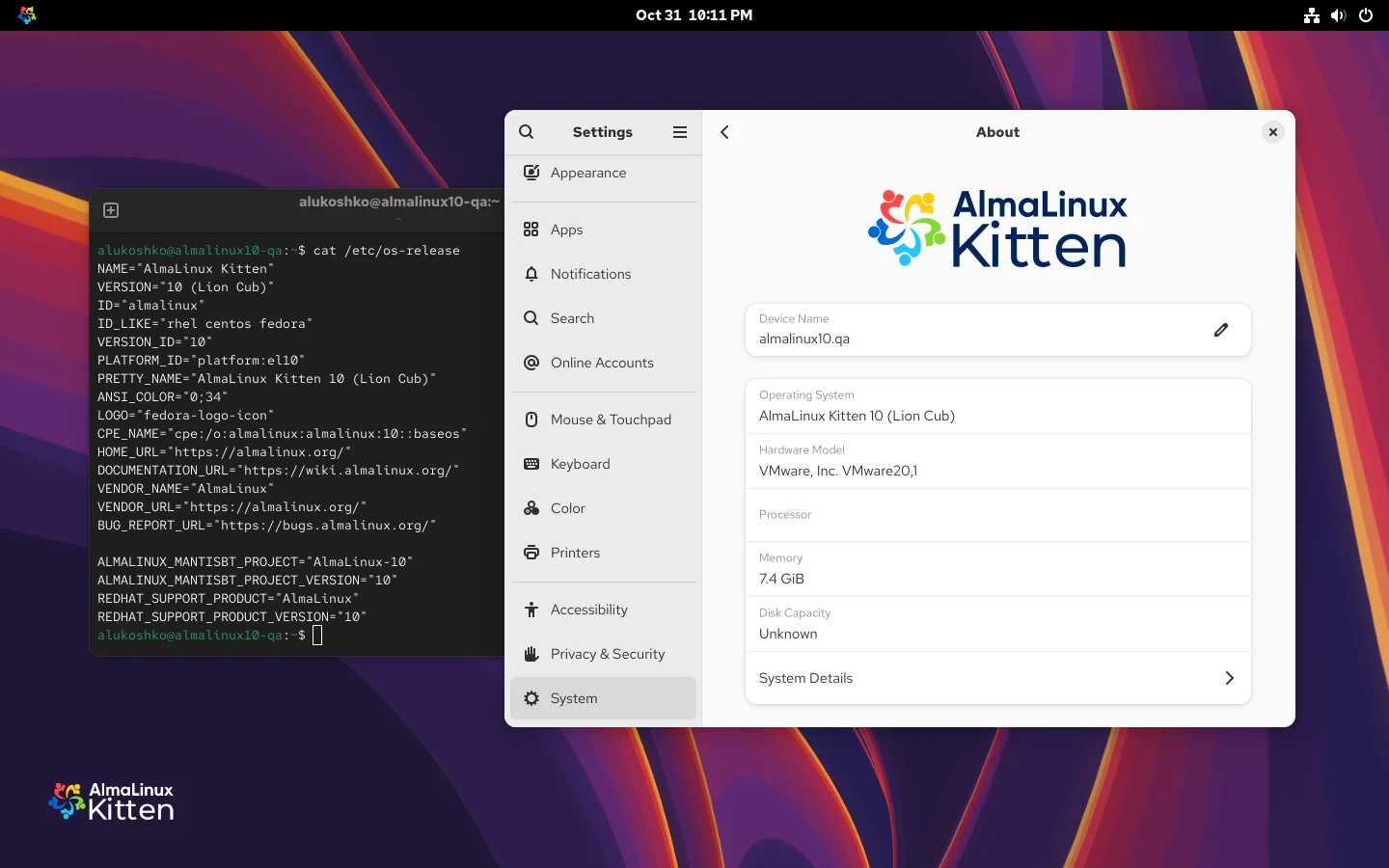
AlmaLinux OS Kitten is the direct upstream for AlmaLinux OS 10, and is the primary point for the AlmaLinux community to engage and influence the future of AlmaLinux OS. Fixes and features land here first and trickle down into AlmaLinux OS as appropriate. It is the integration and collaboration point for AlmaLinux to its upstreams as well, such as CentOS Stream and Fedora.
Currently, AlmaLinux OS Kitten is based on CentOS Stream 10 code and provides a stable preview of AlmaLinux OS 10.
AlmaLinux Kitten also allows anyone who is building from or extending AlmaLinux to engage in our building and release processes and gain a deeper understanding of them.
# Mirrors, ISOs, and Update Frequency
AlmaLinux OS Kitten 10 has its own primary mirror URLs:
Package updates will be released regularly and frequently. ISOs will be rebuilt and published with the latest updates every 3 months.
# Why Kitten?
AlmaLinux OS has used cat names in our code names for our entire existence, and this felt like a perfect extension of that. This OS is the version that will grow up to be the next AlmaLinux OS cat.
# Cloud Images
AlmaLinux provides official AlmaLinux OS Kitten 10 images for various cloud providers.
# Amazon Web Services (AWS)
AlmaLinux OS offers Amazon Machine Images in a number of formats and regions for consumption on AWS. All AlmaLinux OS AMIs are completely free of charge regardless of the deployment channel.
More about AlmaLinux OS images for AWS - AlmaLinux AWS Wiki Page.
# AWS Marketplace
The AlmaLinux OS Foundation's official AlmaLinux OS Kitten 10 images are available via the AWS Marketplace (opens new window).
# Community AMIs
Community AMIs are images that are shared directly by the AlmaLinux OS Foundation for others to utilize directly within their infrastructure. Below is a complete list of currently published AMIs and their corresponding IDs. For purposes of automation and integration into build tools and CI/CD pipelines, this list is also available as a CSV (opens new window) file.
Click to expand AlmaLinux OS Kitten 10 AMIs
| Distribution | Version | Region | AMI ID | Arch |
|---|---|---|---|---|
| AlmaLinux OS Kitten | 10.20261019.0 | af-south-1 | ami-0295e408ec6ab5e56 | x86_64 |
| AlmaLinux OS Kitten | 10.20261019.0 | af-south-1 | ami-090494ca9a34b8752 | aarch64 |
| AlmaLinux OS Kitten | 10.20261019.0 | ap-east-1 | ami-0bc639b80febe5e14 | x86_64 |
| AlmaLinux OS Kitten | 10.20261019.0 | ap-east-1 | ami-0df0ae2ca5bfccada | aarch64 |
| AlmaLinux OS Kitten | 10.20261019.0 | ap-northeast-1 | ami-0e725c40280f8533c | x86_64 |
| AlmaLinux OS Kitten | 10.20261019.0 | ap-northeast-1 | ami-01f32e094db55e83b | aarch64 |
| AlmaLinux OS Kitten | 10.20261019.0 | ap-northeast-2 | ami-04c69e80e75b78658 | x86_64 |
| AlmaLinux OS Kitten | 10.20261019.0 | ap-northeast-2 | ami-086261c5469783aa7 | aarch64 |
| AlmaLinux OS Kitten | 10.20261019.0 | ap-northeast-3 | ami-0ab0a9482a10d8208 | x86_64 |
| AlmaLinux OS Kitten | 10.20261019.0 | ap-northeast-3 | ami-0e7dfdde898c31ee3 | aarch64 |
| AlmaLinux OS Kitten | 10.20261019.0 | ap-south-1 | ami-0ea360f650751b8b9 | x86_64 |
| AlmaLinux OS Kitten | 10.20261019.0 | ap-south-1 | ami-0a135dfc3a06d973b | aarch64 |
| AlmaLinux OS Kitten | 10.20261019.0 | ap-south-2 | ami-015f1ceba97332f10 | x86_64 |
| AlmaLinux OS Kitten | 10.20261019.0 | ap-south-2 | ami-0deee3644922bf913 | aarch64 |
| AlmaLinux OS Kitten | 10.20261019.0 | ap-southeast-1 | ami-039c1cf4ceb4bf0e5 | x86_64 |
| AlmaLinux OS Kitten | 10.20261019.0 | ap-southeast-1 | ami-002230b93d33b110c | aarch64 |
| AlmaLinux OS Kitten | 10.20261019.0 | ap-southeast-2 | ami-0b4f015d988da4ca6 | x86_64 |
| AlmaLinux OS Kitten | 10.20261019.0 | ap-southeast-2 | ami-0a27687c97c9d5e0f | aarch64 |
| AlmaLinux OS Kitten | 10.20261019.0 | ap-southeast-3 | ami-07fc58a0188e7fa74 | x86_64 |
| AlmaLinux OS Kitten | 10.20261019.0 | ap-southeast-3 | ami-0483e21dd62a814fb | aarch64 |
| AlmaLinux OS Kitten | 10.20261019.0 | ap-southeast-4 | ami-0fce3886ad13591fe | x86_64 |
| AlmaLinux OS Kitten | 10.20261019.0 | ap-southeast-4 | ami-0b78360fef141bbdf | aarch64 |
| AlmaLinux OS Kitten | 10.20261019.0 | ap-southeast-5 | ami-06982f360b55bd6a8 | x86_64 |
| AlmaLinux OS Kitten | 10.20261019.0 | ap-southeast-5 | ami-0d6ef01cf7ed35b71 | aarch64 |
| AlmaLinux OS Kitten | 10.20261019.0 | ap-southeast-7 | ami-07ddb9d3f52409d76 | x86_64 |
| AlmaLinux OS Kitten | 10.20261019.0 | ap-southeast-7 | ami-08689b16a9718c741 | aarch64 |
| AlmaLinux OS Kitten | 10.20261019.0 | ca-central-1 | ami-04a3c9101e0de2f92 | x86_64 |
| AlmaLinux OS Kitten | 10.20261019.0 | ca-central-1 | ami-0b2bdb85eaffa8bb7 | aarch64 |
| AlmaLinux OS Kitten | 10.20261019.0 | ca-west-1 | ami-0ab57d696ac39c990 | x86_64 |
| AlmaLinux OS Kitten | 10.20261019.0 | ca-west-1 | ami-011252fc7b6f153d0 | aarch64 |
| AlmaLinux OS Kitten | 10.20261019.0 | eu-central-1 | ami-04465043aa3ca2494 | x86_64 |
| AlmaLinux OS Kitten | 10.20261019.0 | eu-central-1 | ami-034a6a7705047890e | aarch64 |
| AlmaLinux OS Kitten | 10.20261019.0 | eu-central-2 | ami-023a1bdd9f6d156a9 | x86_64 |
| AlmaLinux OS Kitten | 10.20261019.0 | eu-central-2 | ami-0e61f1b55f132909b | aarch64 |
| AlmaLinux OS Kitten | 10.20261019.0 | eu-north-1 | ami-0608587a216c54208 | x86_64 |
| AlmaLinux OS Kitten | 10.20261019.0 | eu-north-1 | ami-08a08a76269590886 | aarch64 |
| AlmaLinux OS Kitten | 10.20261019.0 | eu-south-1 | ami-06819d34ff9084cc1 | x86_64 |
| AlmaLinux OS Kitten | 10.20261019.0 | eu-south-1 | ami-0b37d0e731a006259 | aarch64 |
| AlmaLinux OS Kitten | 10.20261019.0 | eu-south-2 | ami-039c47563098b66eb | x86_64 |
| AlmaLinux OS Kitten | 10.20261019.0 | eu-south-2 | ami-0a6ce72de08e28378 | aarch64 |
| AlmaLinux OS Kitten | 10.20261019.0 | eu-west-1 | ami-0a5b7debafd4724c0 | x86_64 |
| AlmaLinux OS Kitten | 10.20261019.0 | eu-west-1 | ami-090d6fbb13827c0e3 | aarch64 |
| AlmaLinux OS Kitten | 10.20261019.0 | eu-west-2 | ami-001d088e7aae05341 | x86_64 |
| AlmaLinux OS Kitten | 10.20261019.0 | eu-west-2 | ami-08b86ecff38286185 | aarch64 |
| AlmaLinux OS Kitten | 10.20261019.0 | eu-west-3 | ami-0b5a0c8783e70e12a | x86_64 |
| AlmaLinux OS Kitten | 10.20261019.0 | eu-west-3 | ami-07188e48ca8c74840 | aarch64 |
| AlmaLinux OS Kitten | 10.20261019.0 | il-central-1 | ami-0899cfbbd97a3e18f | x86_64 |
| AlmaLinux OS Kitten | 10.20261019.0 | il-central-1 | ami-0c0220aa224eb6ed9 | aarch64 |
| AlmaLinux OS Kitten | 10.20261019.0 | me-central-1 | ami-0a485409556829419 | x86_64 |
| AlmaLinux OS Kitten | 10.20261019.0 | me-central-1 | ami-075d459991d405178 | aarch64 |
| AlmaLinux OS Kitten | 10.20261019.0 | mx-central-1 | ami-04238abf5732629c9 | x86_64 |
| AlmaLinux OS Kitten | 10.20261019.0 | mx-central-1 | ami-0c30609061e060152 | aarch64 |
| AlmaLinux OS Kitten | 10.20261019.0 | sa-east-1 | ami-05c9b69d9feb9256c | x86_64 |
| AlmaLinux OS Kitten | 10.20261019.0 | sa-east-1 | ami-0808b20f343ceeb01 | aarch64 |
| AlmaLinux OS Kitten | 10.20261019.0 | us-east-1 | ami-046666856d3742872 | x86_64 |
| AlmaLinux OS Kitten | 10.20261019.0 | us-east-1 | ami-07b2a041e3a34da13 | aarch64 |
| AlmaLinux OS Kitten | 10.20261019.0 | us-east-2 | ami-09f8e0874942222ec | x86_64 |
| AlmaLinux OS Kitten | 10.20261019.0 | us-east-2 | ami-00be7a04c6ccd1f79 | aarch64 |
| AlmaLinux OS Kitten | 10.20261019.0 | us-west-1 | ami-061597c393c41a400 | x86_64 |
| AlmaLinux OS Kitten | 10.20261019.0 | us-west-1 | ami-04949876e8e6e4e45 | aarch64 |
| AlmaLinux OS Kitten | 10.20261019.0 | us-west-2 | ami-096a498273eeb0189 | x86_64 |
| AlmaLinux OS Kitten | 10.20261019.0 | us-west-2 | ami-0193b78cd5674abcf | aarch64 |
# Generic Cloud
The AlmaLinux OS Generic Cloud images are available from our mirrors (opens new window) and from the AlmaLinux OS Kitten repositories:
| AlmaLinux OS Kitten 10 | x86_64 (opens new window) | aarch64 (opens new window) | s390x (opens new window) | ppc64le (opens new window) | x86_64_v2 (opens new window) |
More about AlmaLinux OS images for Generic Cloud - AlmaLinux Generic Cloud Wiki Page.
# Microsoft Azure
AlmaLinux offers AlmaLinux OS Kitten 10 images for Azure across all Azure regions via the Azure Marketplace. Images are deployable via the marketplace, portal and CLI.
More about AlmaLinux OS images for Azure - AlmaLinux Azure Wiki Page.
# OpenNebula
The AlmaLinux OS OpenNebula images are available from our mirrors (opens new window) and from the AlmaLinux OS Kitten repositories:
| AlmaLinux OS Kitten 10 | x86_64 (opens new window) | aarch64 (opens new window) | x86_64_v2 (opens new window) |
More about AlmaLinux OS images for OpenNebula - AlmaLinux OpenNebula Wiki Page.
# Container Images
AlmaLinux OS provides official OCI, Docker and four fully compatible alternatives for Red Hat Universal Base Images (UBI):
| Image | Container tag | Link to the Repository |
|---|---|---|
| Default (Platform) | almalinux:10-kitten | DockerHub (opens new window) |
| Minimal (Platform) | almalinux:10-kitten-minimal | DockerHub (opens new window) |
UBI-alternatives
| Image | Container tag | Link to the Repository |
|---|---|---|
| Minimal | almalinux/10-kitten-minimal | - DockerHub (opens new window) - quay.io (opens new window) - GitHub Packages (opens new window) |
| Base | almalinux/10-kitten-base | - DockerHub (opens new window) - quay.io (opens new window) - GitHub Packages (opens new window) |
| Init | almalinux/10-kitten-init | - DockerHub (opens new window) - quay.io (opens new window) - GitHub Packages (opens new window) |
| Micro | almalinux/10-kitten-micro | - DockerHub (opens new window) - quay.io (opens new window) - GitHub Packages (opens new window) |
The x86_64_v2 (linux/amd64/v2) images are available from the almalinux/<type> repositories on Docker Hub, Quay.io and GitHub Packages only, not from the Docker Official Library (almalinux:10-kitten). Select them with --platform=linux/amd64/v2, see Supported platforms/architectures.
More about AlmaLinux OS Container Images - AlmaLinux Containers.
# Live Media
Currently, AlmaLinux builds Live Media images for GNOME, GNOME Mini and KDE options for AlmaLinux OS Kitten 10:
| Live Media | AlmaLinux OS Kitten 10 |
|---|---|
| GNOME | - x86_64 (opens new window) - x86_64_v2 (opens new window) - aarch64 (opens new window) |
| KDE | - x86_64 (opens new window) - x86_64_v2 (opens new window) - aarch64 (opens new window) |
More about AlmaLinux OS Live Media images - AlmaLinux Live Media Page.
# Vagrant Boxes
AlmaLinux provides official AlmaLinux OS Kitten images for Vagrant:
| Vagrant Box | AlmaLinux OS Kitten 10 |
|---|---|
| Libvirt | - x86_64 (opens new window) - x86_64_v2 (opens new window) |
| VirtualBox | - x86_64 (opens new window) - x86_64_v2 (opens new window) |
| Hyper-V | - x86_64 (opens new window) - x86_64_v2 (opens new window) |
| VMware | - x86_64 (opens new window) - x86_64_v2 (opens new window) - aarch64 (opens new window) |
| Parallels | - aarch64 (opens new window) |
More about AlmaLinux OS images for Vagrant Boxes - AlmaLinux Vagrant Boxes Page.
# Raspberry Pi
AlmaLinux builds standard Raspberry Pi images and images with the GNOME desktop environment:
More about AlmaLinux OS Raspberry Pi images - Raspberry Pi.
# Windows Subsystem for Linux (WSL)
AlmaLinux OS Kitten 10 images are available for installation via WSL CLI tool.
- Open the command line tool.
- List all the Linux distributions that are officially available for installation:
wsl --list --online - Install AlmaLinux OS Kitten 10:
wsl --install AlmaLinux-Kitten-10 - Launch AlmaLinux OS to start using it:
- Open it from the Windows Terminal. Click the small arrow ▾ next to the tab or the "+" icon. You'll see a dropdown with available WSL distros listed. Click AlmaLinux-Kitten-10. It will open in a new tab, ready to use.
- Or run the command:
wsl -d AlmaLinux-Kitten-10
# x86_64_v2 WSL Images
AlmaLinux OS Kitten 10 x86_64_v2 images are not published to the Microsoft Store or microsoft/WSL (opens new window) and can only be downloaded from the Releases (opens new window) section of the AlmaLinux WSL images GitHub repository. They are available for offline installation via wsl --install --from-file.
Download the latest
.wslfile for Kitten 10 x86*64_v2 from github.com/AlmaLinux/wsl-images/releases (opens new window) (e.g.AlmaLinux-Kitten-10_x64_v2*<version>.wsl).Install it using the
--from-fileoption:wsl --install --from-file AlmaLinux-Kitten-10_x64_v2_<version>.wslLaunch AlmaLinux OS Kitten:
- Open it from the Windows Terminal dropdown, or run the command:
wsl -d AlmaLinux-Kitten-10-x64_v2
- Open it from the Windows Terminal dropdown, or run the command:
More about AlmaLinux for WSL - WSL Page.
# How is AlmaLinux OS Kitten different from CentOS Stream?
CentOS Stream is a product of the CentOS community–it’s the ultimate destination of the CentOS community’s work. AlmaLinux OS Kitten is not a product, it is meant as a vehicle along the journey of development of the next version of AlmaLinux OS.
We are using our freedom here to do a bunch of work in preparation for AlmaLinux OS 10.
# Re-enabling Frame Pointers
Red Hat Enterprise Linux and CentOS Stream disable frame pointers by default. We are re-enabling them with AlmaLinux OS Kitten 10. This enables system-wide real-time tracing and profiling for optimizing the performance of any workload running on AlmaLinux OS.
# AlmaLinux OS Kitten includes an additional build using x86-64-v2
Within the x86-64 architecture, there are specific versions that represent specific CPU feature sets. RHEL was increasing the architecture version baseline to v3, which results in the loss of support for numerous older CPUs(and some newer ones). Both in AlmaLinux OS Kitten 10 e AlmaLinux OS 10, we will follow Red Hat’s decision to ship x86-64-v3 optimized binaries by default, but we will also provide additional x86-64-v2 architecture ONLY for older hardware that doesn’t support modern CPU feature sets.
Please note all 3rd party packages for RHEL10 will be built for x86-64-v3, so AlmaLinux OS Kitten 10 built for x86-64-v2 will only be appropriate in workloads where the default OS package set is enough, or where users will be able to rebuild any additional packages they require for x86-64-v2 architecture themselves. ALESCo is currently weighing the option of rebuilding EPEL for x86-64-v2 users. If you use this version, please let us know (opens new window), so we can make informed decisions about this version in the future.
# Secure Boot
Trusted boot has long been required for bare metal devices, and is also becoming more and more popular in virtualized environments. AlmaLinux OS Kitten 10 supports Secure Boot for Intel/AMD and ARM platforms.
# Adding SPICE
Simple Protocol for Independent Computing Environments (SPICE) has been unsupported since RHEL 9.0. Members of the AlmaLinux OS community have requested we add support back in, so SPICE support is fully re-enabled in AlmaLinux OS Kitten 10 for both server and client applications.
# KVM for IBM POWER
KVM for IBM POWER has also been unsupported since RHEL 9.0. We enable it in the AlmaLinux OS Kitten 10 virtualization stack, so it’s possible to continue using KVM just like it is in AlmaLinux OS 8.
# More hardware supported
Starting with AlmaLinux OS 8.10 and 9.4 we re-enabled support for more than 150 devices that were removed upstream. We will continue that support in AlmaLinux OS Kitten 10, as well as in AlmaLinux OS 10.
# Firefox and Thunderbird in the system repositories
Our upstream decided to remove packaged versions of Firefox and Thunderbird RPM packages from CentOS Stream 10 and RHEL10 in favor of using Flatpak versions of them. To support our community of desktop users, we decided to continue shipping them in AlmaLinux OS Kitten 10 as regular RPM packages.
# Give Feedback and Get Help
Join us in the AlmaLinux OS chat channel (opens new window), mailing lists (opens new window), and forums (opens new window) to share your feedback or ask for any assistance. Please, file your bugs and steps to reproduce them on AlmaLinux Bug Tracker (opens new window).
# Thank you, Image Engine!
This version of AlmaLinux includes desktop backgrounds created by the incredible visual effects folks over at Image Engine (opens new window). We can't thank them enough for their work. They were awesome to work with, and we are so excited to have them as part of the AlmaLinux community.
# Trademarks
CentOS Stream, Red Hat, and Red Hat Enterprise Linux are trademarks or registered trademarks of Red Hat, Inc. or its subsidiaries in the United States and other countries.